Microsoft Fabric vs Snowflake vs Databricks: Vendor-Agnostic Platform Analysis
Fabric vs Snowflake vs Databricks: With years of experience in real-World Implementation of all three platforms, our solution architects brings you the only enterprise Decision Framework for 2026 your data team will ever need.



Subu
Apr 10, 2025 |
6 mins


Introduction: The Decision Between Three Data Platform Giants
Choosing between Microsoft Fabric, Snowflake, and Databricks is a decision that will shape your organization's enterprise data strategy for years. These cloud-native platforms dominate their respective niches: Snowflake for data warehousing, Databricks for AI/ML workloads, and Microsoft Fabric within Microsoft ecosystems. Their differing architectures offer unique benefits that influence strategic fit, team structures, and long-term costs.
When considering "Microsoft Fabric vs Snowflake vs Databricks," understanding how each platform functions within these cloud environments is crucial for making an informed decision. According to Gartner's 2024 analysis, Snowflake commands 40% of the data warehousing market, Databricks leads in AI/ML, and Microsoft Fabric is gaining traction, especially within Azure environments. This creates a complex decision landscape for enterprises considering not only technical capabilities but also existing investments like Microsoft licenses, team expertise, integration needs, and five-year cost implications.
Platform Architecture Deep Dive: How Each Platform Thinks Differently About Data
The differences among Microsoft Fabric, Snowflake, and Databricks are as much about philosophy as features. This conceptualization of data storage solutions and compute relationships informs everything from query performance to vendor lock-in risks.
Databricks' lakehouse architecture with Delta Lake bridges data warehouse capabilities and data lake flexibility, excelling in both structured SQL queries and flexible data science workflows. However, this requires Spark expertise to optimize.
Snowflake’s multi-cluster shared data architecture separates storage from compute, optimizing for concurrent SQL workloads and reducing administrative tasks, but its proprietary formats risk vendor lock-in.
Microsoft Fabric's OneLake provides a unified, tenant-wide data storage layer without silos between SaaS workloads. It’s highly effective for Microsoft-centric organizations but increases Azure dependency.
Component | Databricks | Snowflake | Microsoft Fabric |
Storage Layer | Delta Lake (open lakehouse) | Centralized cloud storage | OneLake (unified lake) |
Compute Model | ~Spark clusters (auto-scaling) | Multi-cluster, shared-nothing | SaaS workloads (Spark, SQL pools) |
Data Format | Delta (ACID, open) | Proprietary micro-partitions | Delta/Parquet (open) |
Separation of Storage/Compute | Full decoupling | Full decoupling | Full (OneLake + independent scaling) |
Metadata Management | Unity Catalog (governance) | Central metadata service | Purview-integrated |
Databricks: Lakehouse Architecture on Delta Lake
Databricks' lakehouse architecture eliminates the traditional boundary between data lakes and warehouses by layering ACID transaction capabilities directly onto object storage. This approach excels in mixed analytics and ML workloads where teams need both structured SQL queries and flexible data science workflows against the same datasets. The trade-off comes in operational complexity—you need Spark expertise to optimize performance and costs effectively.
Snowflake: Multi-Cluster Shared Data Architecture
Snowflake's shared-data architecture separates storage from compute more completely than traditional databases, allowing multiple compute clusters to query the same data simultaneously without contention. This design optimizes for concurrent SQL workloads and eliminates many traditional database administration tasks. However, proprietary data formats create stronger vendor lock-in compared to open lakehouse approaches.
Microsoft Fabric: OneLake Unified Storage
Fabric's OneLake creates a single, logical data lake across all workloads within a tenant, enabling BI tools, Spark jobs, and ML models to access the same data without copying or moving it. For organizations already invested in Microsoft's ecosystem, this architecture can reduce data pipeline complexity by up to 90% compared to traditional ETL approaches. The limitation is Azure dependency, which may increase costs for multi-cloud or non-Microsoft environments.
These architectural differences create cascading effects on everything from team hiring to budget predictability. A retail company with 50TB of customer data would benefit from Fabric's unified approach to eliminate data copying costs, while a multi-cloud organization might prefer Databricks' platform flexibility or Snowflake's mature governance for sensitive data sharing scenarios.
Feature Comparison by Use Case: Where Each Platform Excels
Rather than drowning in feature checklists, smart platform selection comes down to matching capabilities with your actual workloads. Each platform has evolved distinct strengths that shine in different business contexts—and notable gaps that matter for specific use cases.
Component | Databricks | Snowflake | Microsoft Fabric |
SQL Analytics/BI | AI-assisted analytics | SQL optimization | Native Power BI integration |
Machine Learning | MLflow, pipeline management | Snowpark with third-party tools | Azure ML integration |
Real-time Streaming | Structured Streaming | Snowpipe with limited streaming | Eventstream, dataflows |
Data Governance | Unity Catalog | Strong SQL-based governance | Purview integration |
ETL/Data Engineering | Medallion architecture | Snowpipe, zero-copy cloning | Low-code dataflows |


Microsoft Fabric dominates Microsoft-centric BI scenarios through native Power BI connectivity and Direct Lake mode, enabling finance teams to build real-time dashboards without data movement. A treasury department can analyze cash flows with one-click report creation directly from OneLake storage, eliminating the ETL delays that plague traditional BI.
Snowflake excels at SQL-heavy analytics with multi-cluster warehouses that isolate workloads—preventing that familiar scenario where your monthly executive reports crash because marketing is running ad-hoc customer segmentation queries. The platform's mature SQL optimization handles complex joins and aggregations that would choke other systems.
Databricks approaches BI differently, offering AI-assisted analytics through Genie for natural language queries and collaborative notebook-based dashboards. This fits data-savvy marketing teams analyzing unstructured social media data alongside traditional metrics, but requires more technical expertise than traditional BI tools expect.
Machine Learning and AI Capabilities
Databricks leads decisively in ML and AI with MLflow for complete model lifecycle management and Unity Catalog (generally available since Q3 2023) providing enterprise governance. Healthcare analytics teams building fraud detection models can manage everything from feature engineering to model deployment within a unified lakehouse architecture, handling the petabyte-scale datasets that Spark was designed for.
Microsoft Fabric integrates Azure ML for accessible AI insights and Copilot-driven analysis, fitting manufacturing teams who need predictive maintenance models without deep data science expertise. The platform works well for straightforward ML use cases embedded within Power BI dashboards, but lacks the depth for complex AI applications.
Snowflake provides Snowpark for Python-based ML but relies heavily on third-party tools for serious AI work. While you can build models, the platform wasn't architected for the iterative experimentation and large-scale model training that define modern ML workflows.
Data Engineering and Pipeline Orchestration
Databricks excels in unified lakehouse engineering with Delta Live Tables enabling both batch and streaming ETL, plus Auto Loader for continuous ingestion. E-commerce platforms can implement medallion architecture (bronze/silver/gold layers) handling everything from raw clickstream data to refined customer analytics in a single platform.
Snowflake offers robust data engineering through Snowpipe for automated ingestion and Tasks for orchestration, with zero-copy cloning that's invaluable for dev/test environments. Banking teams appreciate how they can replicate production datasets instantly for compliance testing without storage penalties.
Microsoft Fabric provides low-code Dataflows and Eventstream for real-time pipelines, streamlining operations for logistics companies integrating IoT sensor data with traditional business systems. The approach works well for standard ETL patterns but hasn't proven itself at the extreme scales that oil and gas or telecommunications companies routinely handle.
Total Cost of Ownership Analysis: Beyond the Sticker Price
Understanding the true cost of Microsoft Fabric vs Snowflake vs Databricks requires looking far beyond initial licensing fees. Fabric's reserved F16-F64 capacities range from $24,000-$72,000 annually, while Snowflake's credit-based pricing has increased 20-30% on compute costs since 2023, and Databricks' shift toward serverless introduces unpredictable query cost spikes.
Licensing Models Explained
Each platform takes a fundamentally different approach to pricing. Fabric uses capacity units with pay-as-you-go F32 instances at $2,760/month, but reserved pricing drops this to $1,251/month—a significant discount for predictable workloads. Snowflake's consumption credits hit startups particularly hard after recent price increases, while Databricks combines DBUs with serverless options that benefit enterprises with variable workloads.
Hidden Costs: Migration, Training, and Integration
The real TCO story emerges in hidden expenses. Organizations with 500 Microsoft E5 licenses save approximately $30,000 annually on Power BI Pro licensing when choosing Fabric. Migration costs drop by roughly 20% with Fabric's unified platform compared to Snowflake's ETL rework requirements or Databricks' cluster tuning complexity. However, Google Cloud-native organizations face Azure data egress fees of ~$0.12/GB, potentially inflating Fabric costs by 10-15%.
Cost Optimization Strategies by Platform
Smart cost management varies by platform. Fabric's auto-pause and resume features save 30-50% on light workloads, while Snowflake's auto-suspend and Databricks' autoscaling provide similar benefits. The math is compelling: a 500-user E5 organization pays $71,400 for standalone Snowflake over three years versus $42,000 with Fabric's bundled licensing—a 55% savings. Startups should prioritize pay-as-you-go flexibility, while enterprises can exploit reservation discounts of 40-60% across all platforms.
Decision Framework: Choosing Your Platform Based on Strategic Priorities
Each platform aligns with different strategic priorities based on existing tech investments, team skills, and overall goals, directly impacting your enterprise data strategy.
When to Choose Microsoft Fabric
Ideal for organizations heavily invested in Microsoft, offering cost savings through license inclusions and seamless integration with existing tools.
Existing Microsoft Investment: Organizations with significant Azure, Office 365, or Power BI deployments gain immediate value from Fabric's unified governance and seamless integration. If you're already paying for Microsoft E5 licenses, Fabric capacity units are included, dramatically reducing your platform costs.
Unified Analytics Strategy: Choose Fabric when you need a single platform connecting data engineering, business intelligence, and real-time analytics without complex integrations. The OneLake architecture eliminates data movement between analytics tools.
SQL-Focused Teams with BI Priority: Teams comfortable with SQL Server, Power BI, and Azure services can leverage existing skills immediately, reducing training overhead and time-to-value.
When to Choose Snowflake
Optimal for multi-cloud flexibility and structured data analytics, with independent control over compute and storage scaling.
Multi-Cloud Flexibility Requirements: Snowflake's cloud-agnostic architecture supports AWS, Azure, and GCP equally well, making it ideal for organizations avoiding vendor lock-in or operating across multiple clouds.
Data Warehousing Excellence: Organizations prioritizing structured data analytics, complex SQL workloads, and data sharing capabilities benefit from Snowflake's mature warehouse architecture and exceptional query performance.
Independent Scaling Needs: Choose Snowflake when you need precise control over compute and storage costs, with the ability to scale each independently based on workload patterns.
When to Choose Databricks
Suited for AI/ML and big data workloads with Python-heavy teams preferring open ecosystem integration.
AI/ML-Heavy Workloads: Databricks excels at machine learning pipelines and advanced analytics requiring Apache Spark optimization. Choose it when data science and ML operations are strategic priorities.
Big Data Processing at Scale: Organizations handling terabyte-scale datasets across distributed systems benefit from Databricks' Lakehouse architecture and superior performance for complex data transformations.
Open Ecosystem Integration: Python-heavy teams working with open-source tools and requiring flexibility across cloud providers favor Databricks' Delta Lake support and extensive ecosystem.
Multi-Platform Strategies That Work
Combining platforms leverages each strength. For example, use Snowflake for SQL, Databricks for ML, and Fabric for BI, ensuring minimal data silos and integration overhead.
Layered Approach: Many enterprises use multiple platforms strategically—Snowflake for governed SQL analytics, Databricks for ML development, and Fabric for Power BI integration. Each handles its core strength without forcing compromises.
Migration Pathways: Start with your strongest organizational alignment (Fabric for Azure shops, Snowflake for multi-cloud environments, Databricks for AWS-centric teams), then expand as requirements evolve and teams mature.
How datakulture Helps You Navigate Platform Selection Without Vendor Bias
Choosing the right platform is critical and complex. datakulture offers objective, vendor-agnostic guidance, ensuring the fit aligns with business goals rather than vendor relationships.
Vendor-Agnostic Platform Assessment
datakulture evaluates infrastructure, capabilities, workloads, and constraints for alignment with analytics and AI/ML needs.
TCO Modeling and Cost Optimization
We build detailed cost models accounting for varying workloads, ensuring data-driven financial decision-making.
Migration Planning and Execution
Our team excels in building detailed migration roadmaps with standardized architectures and open data formats to preserve flexibility.
Proof of Concept Implementation
Rather than committing to full enterprise deployments, datakulture validates platform viability through controlled pilots that demonstrate real-world performance and ROI before organization-wide rollout. These structured POCs test actual workloads—your SQL queries, ML pipelines, and BI dashboards—against platform capabilities to validate performance assumptions and uncover integration challenges before they become expensive problems. For organizations leaning toward Microsoft's ecosystem, our Microsoft Fabric consulting services cover everything from initial assessment and POC through to full production deployment.
Team Training and Enablement
datakulture can help you implement tailored training programs, fostering internal expertise and reducing consultant dependency.
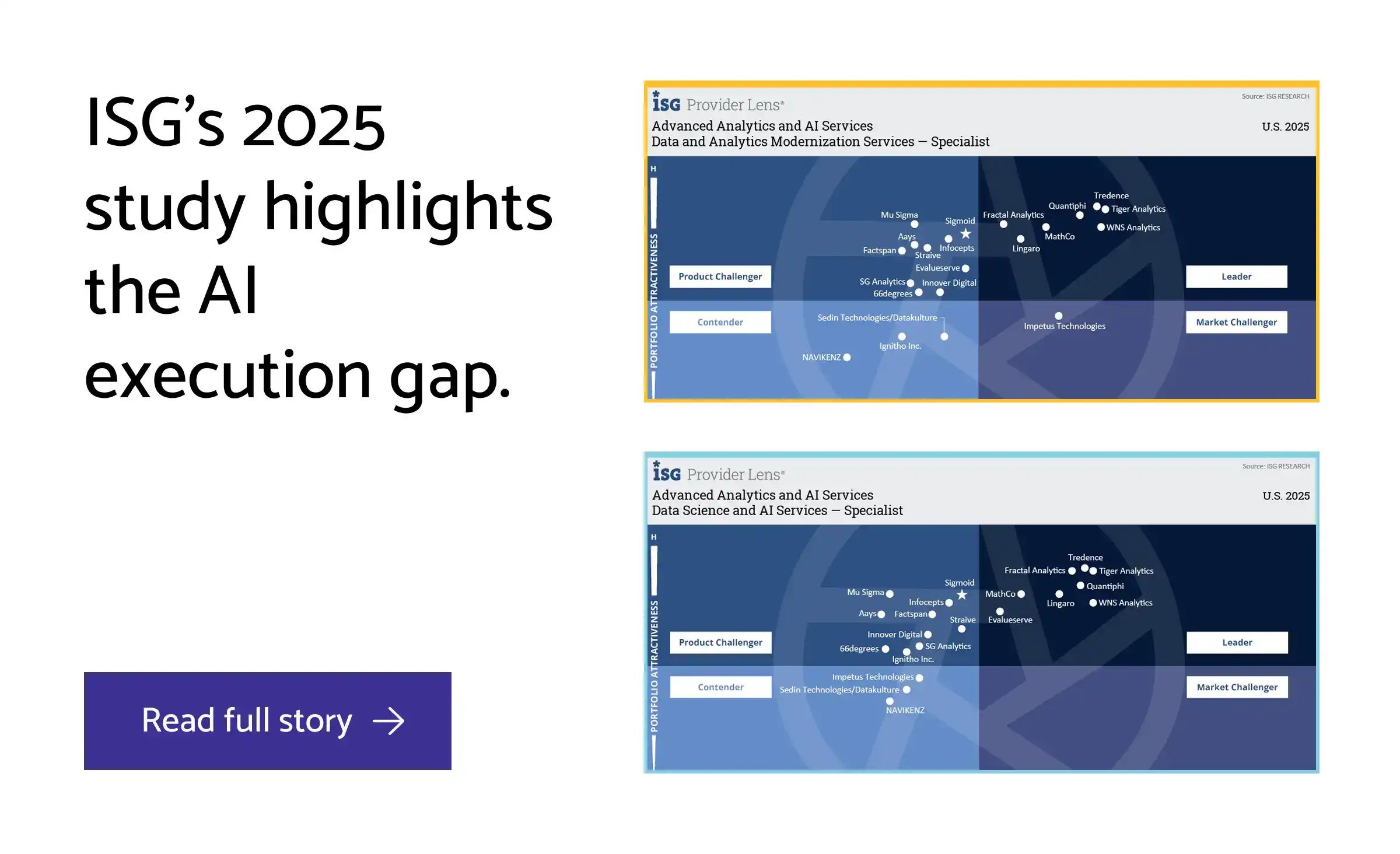
datakulture's recognition as a specialist in Advanced Analytics and AI Services by ISG Provider Lens® 2025 validates this comprehensive approach to platform selection and implementation. By grounding decisions in objective assessment, cost modeling, and governance frameworks, we transform data infrastructure choices from risky bets into strategic investments that protect both capital expenditure and competitive advantage.

FAQ: Common Questions About Microsoft Fabric, Snowflake, and Databricks
1. Can Snowflake and Databricks work together in the same data stack?
Yes, both Snowflake and Databricks can work together, support multi-cloud deployments and integrate with third-party tools, making hybrid architectures viable. Many enterprises use Databricks for advanced analytics and ML workloads while leveraging Snowflake for SQL-based data warehousing. However, this approach requires additional integration effort, operational complexity, and careful data movement planning to avoid unnecessary costs.
2. Is Microsoft Fabric mature enough for enterprise production workloads?
Microsoft Fabric is production-ready for Microsoft-centric enterprises, but it isn’t mature enough for enterprise production workloads as it has scalability limitations at large data volumes. It excels in real-time analytics and BI integration within the Azure ecosystem, particularly for organizations already invested in Power BI and Microsoft 365. For larger datasets exceeding several terabytes, Fabric has not yet demonstrated the performance and scalability track record of Databricks and Snowflake.
3. Which platform has the lowest total cost of ownership?
Platform ownership cost depends entirely on your workload type and existing infrastructure - no single platform universally minimizes TCO. Fabric offers cost-effective solutions for Azure-committed organizations with existing Microsoft licensing. Snowflake's consumption-based pricing suits variable workloads with predictable SQL patterns. Databricks scales well for compute-intensive ML projects but can be expensive for smaller analytical initiatives.
4. How difficult is it to migrate from one platform to another?
Migration complexity is very high due to different SQL dialects, data formats, and architectural patterns. Snowflake uses proprietary functions that don't translate directly to Databricks' Spark SQL, while Fabric's DirectLake mode creates dependencies on Power BI integration. Plan for 6-12 months for significant data platform migrations, including query rewrites, pipeline rebuilds, and team retraining.
5. Which platform is best for machine learning and AI workloads?
Databricks leads significantly in this category with advanced ML capabilities, built-in MLOps features, and native AI/ML integration. It provides end-to-end ML workflows with MLflow, feature stores, and model serving capabilities. Microsoft Fabric offers integrated Azure AI tools but with more limited ML sophistication, while Snowflake requires third-party integrations for advanced ML tasks beyond basic SQL-based analytics.
6. Do I need to choose just one platform, or can I use multiple strategically?
Multi-platform strategies work well when architected thoughtfully. Common patterns include using Fabric for BI and reporting, Databricks for ML and advanced analytics, or Snowflake for data sharing with external partners. The key is avoiding data silos and excessive integration overhead. Most successful hybrid approaches designate one platform as the primary analytical engine with others serving specific use cases.
7. Which platform offers the best data governance capabilities?
Microsoft Fabric and Snowflake both provide strong governance frameworks, with Fabric earning top marks for data governance in recent platform comparisons. Fabric's Purview integration offers comprehensive lineage and classification within the Microsoft ecosystem. Snowflake excels in data sharing governance and access controls. Databricks offers moderate governance capabilities through Unity Catalog, making it less ideal for highly regulated industries requiring strict compliance controls.
8. What's the typical implementation timeline for each platform?
Snowflake typically achieves production readiness fastest at 2-4 months due to its managed service model and familiar SQL interface. Databricks requires 4-6 months for full implementation including ML workflow setup and team training on Spark concepts. Microsoft Fabric implementation ranges from 3-6 months depending on existing Azure integration depth and Power BI adoption maturity.
9. How does existing Microsoft licensing affect the Fabric vs. Snowflake decision?
Organizations with Microsoft E5 or F5 licenses receive Fabric capacity as part of their subscription, potentially saving $200K+ annually compared to standalone Snowflake contracts. However, Fabric's capacity units can be consumed quickly with heavy computational workloads, leading to additional charges. The licensing advantage is most pronounced for BI-heavy workloads that align with existing Power BI investments.
10. Which platform has the most active community and third-party integrations?
Databricks benefits from strong open-source foundations (Delta Lake, Apache Spark, MLflow) and extensive third-party ecosystem support. Snowflake integrates seamlessly with numerous BI tools, data integration platforms, and has a robust partner marketplace. Microsoft Fabric's ecosystem is primarily Microsoft-focused, offering deep integration within the Microsoft stack but fewer third-party connectors compared to the other platforms.
by Subu
With over two decades of experience, Subu, aka Subramanian, is a senior solution architect who has built data warehousing solutions, led cloud migration projects, and designed scalable single sources of truth (SSOTs) for global enterprises. He brings a wealth of knowledge rooted in years of hands-on expertise while constantly updating himself on the latest technologies. Beyond architecture, he leads and mentors a large team of data engineers, ensuring every solution is both future-ready and reliable.